Website settings
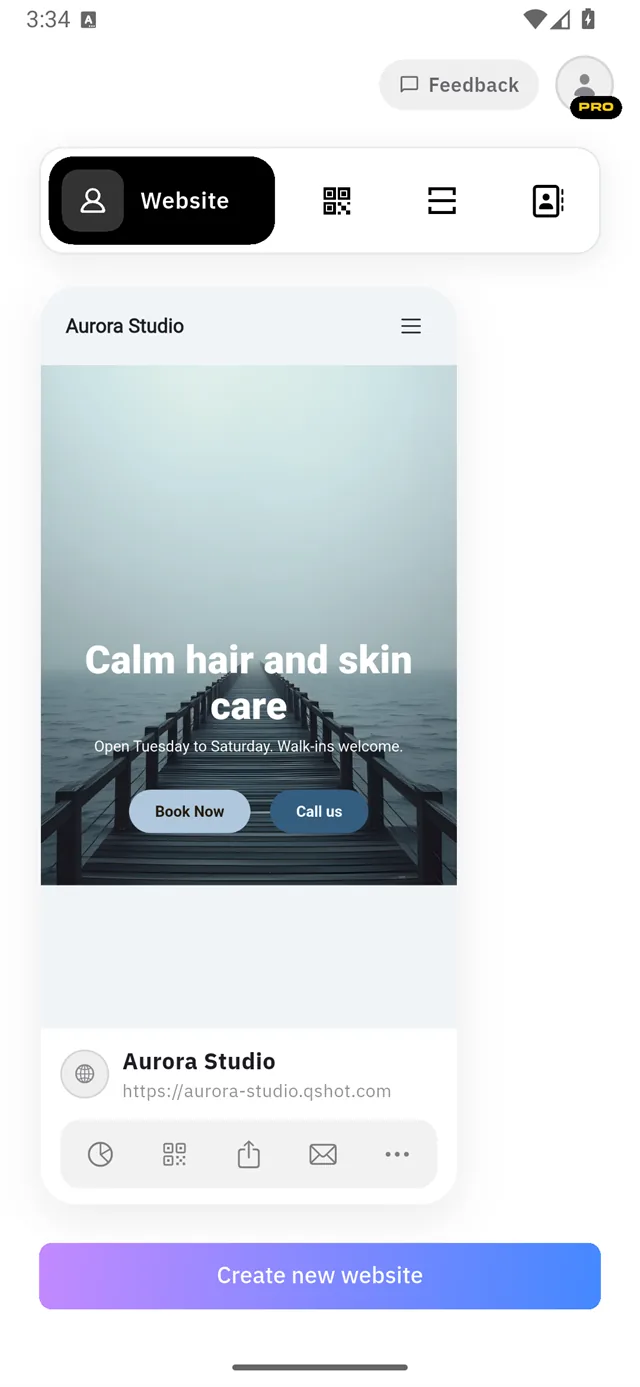
Once a site exists, the home screen shows it as a live card with your address underneath and a row of five buttons.
| Button | Opens |
|---|---|
| 📊 | Analytics — visits and where they came from |
| ▪ | QR code — the site's QR, ready to share or print |
| ↑ | Share — link, QR, Add to Wallet |
| ✉ | Messages — submissions from your Lead Form |
| ⋯ | Settings — everything below |
The settings screen
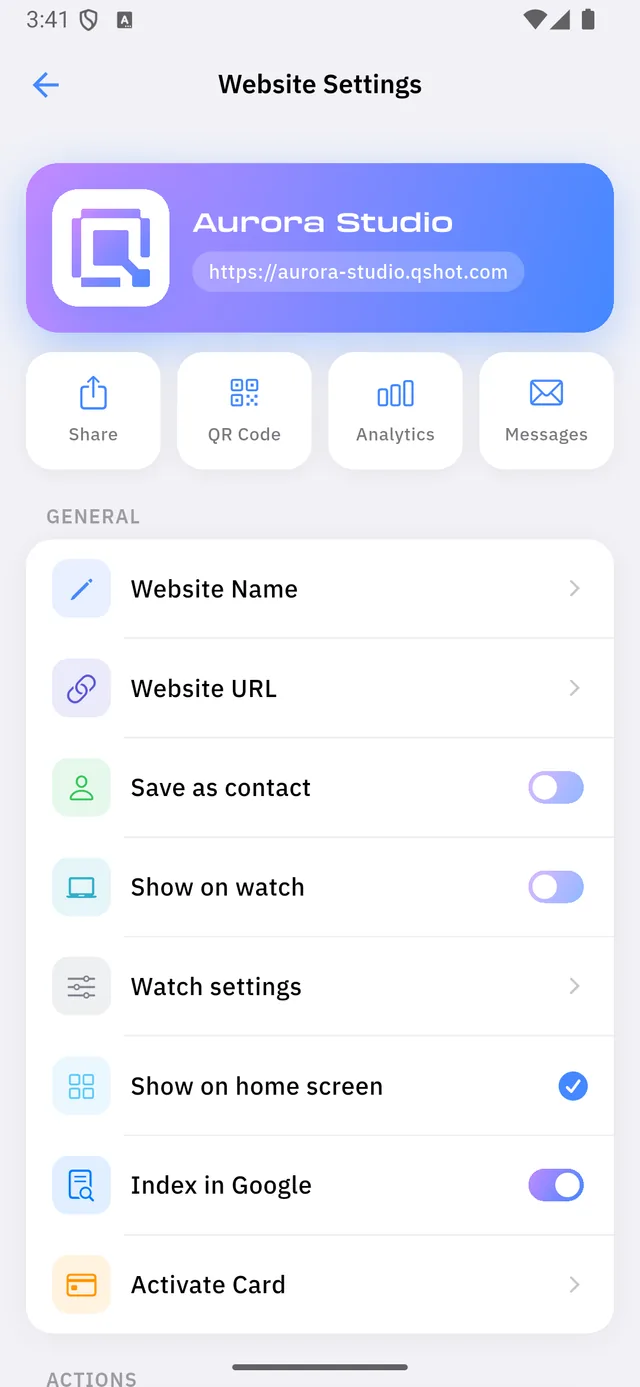
| 1 | The same four actions as on the home card, as large buttons |
| 2 | GENERAL — the settings themselves |
General
| Setting | What it does |
|---|---|
| Website Name | The display name of this site |
| Website URL | Your .qshot.com address, or your own domain — see Your address |
| Save as contact | Lets visitors save you to their phone as a contact card |
| Show on watch | Puts this site on your paired watch |
| Watch settings | QR style and watch face — see On your watch |
| Show on home screen | Whether this site appears on the app's home tab |
| Index in Google | Whether search engines may list this site |
| Activate Card | Links a physical Qshot QR or NFC card to this site |
:::note Three switches, three shapes Show on home screen is a tick, not a slider, and Watch settings and Activate Card are rows that open a screen. Only Save as contact, Show on watch and Index in Google are true on/off switches. :::
:::note This is the only SEO control Qshot has no meta-description, keyword or sitemap settings. Index in Google is the whole of it — on means search engines may list you, off means they are asked not to. :::
Actions
| Action | What it does | |
|---|---|---|
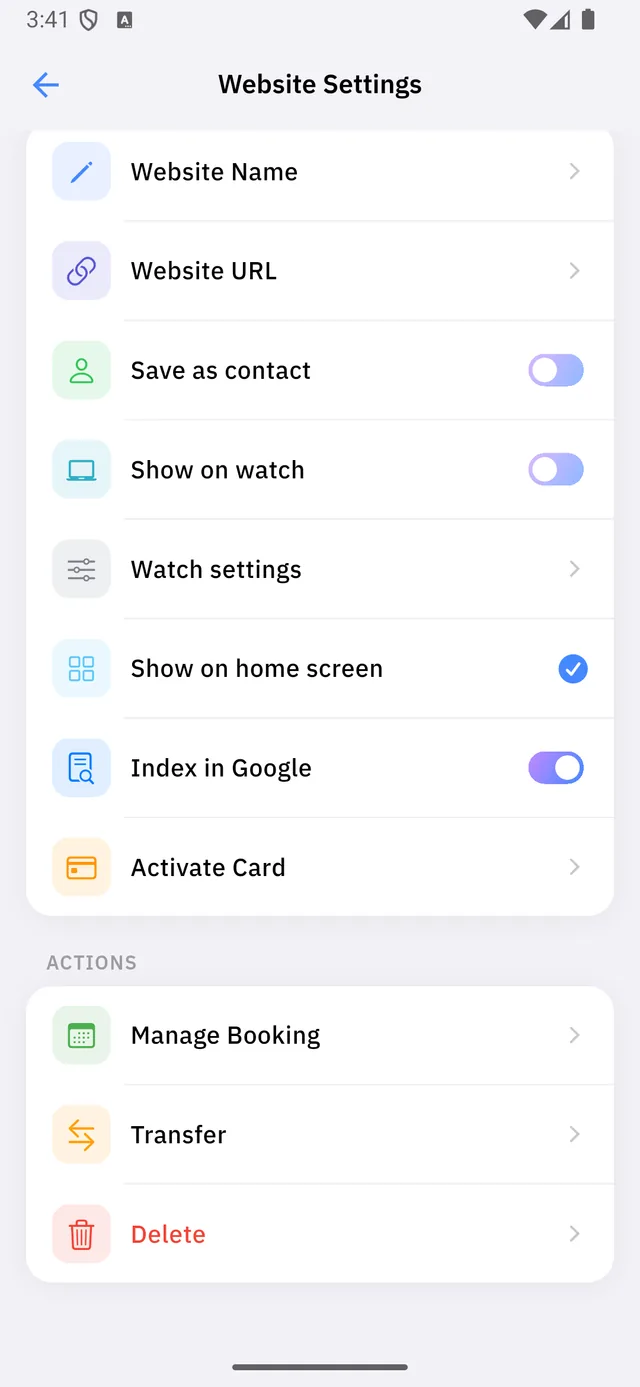
| 1 | Manage Booking | Opens the booking back-office — see the Business guide |
| 2 | Transfer | Hands ownership of this site to another Qshot account |
| 3 | Delete | Removes the site permanently |
Transfer needs the other person's account id, which they find under Transfer Profiles in their account. They then have to accept it — a transfer is never silent.
:::danger Deleting is permanent The site, its content and its address all go. The address returns to the pool and someone else can claim it. Anything printed with that link stops working. :::
Multiple sites
Create new website at the bottom of the home screen adds another.
Free and Pro both allow one site. Only Business raises it to three. See Plans.