Blocks — everything you can add
Your site is a stack of blocks. Tap Add Block at the bottom of the editor to open the picker.
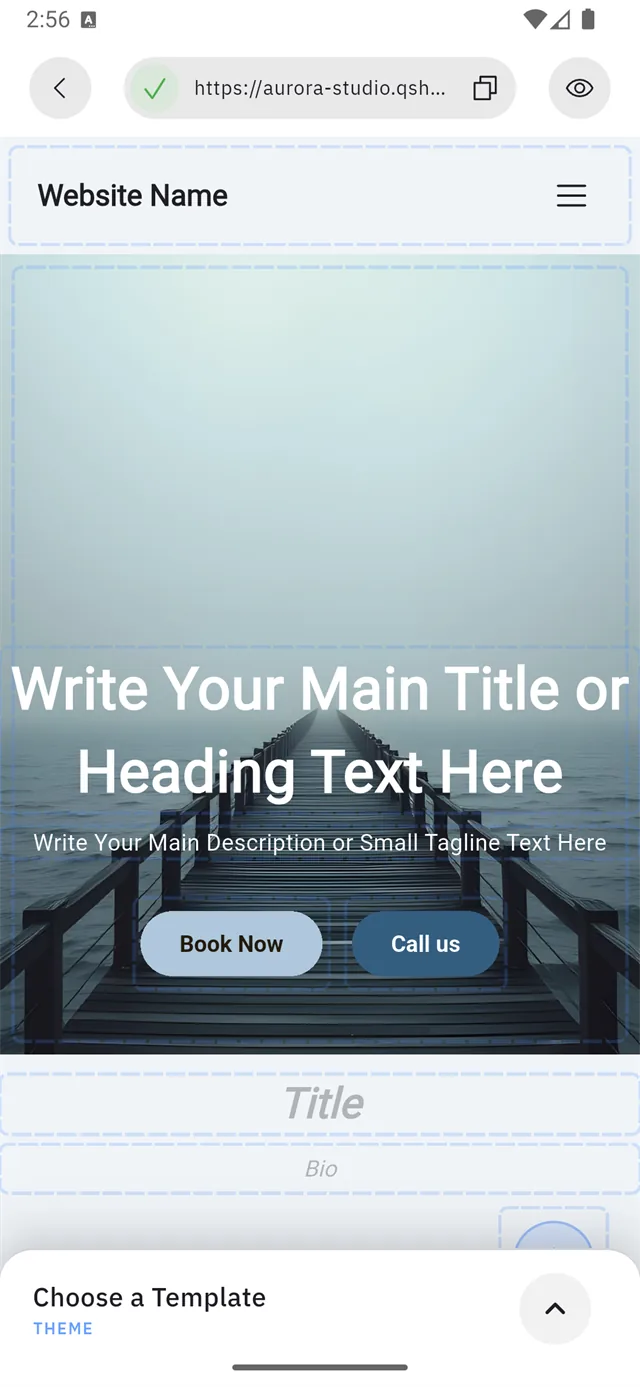
:::tip Add Block can hide behind the template bar The Choose a Template bar (1) sits at the bottom of the editor and can cover the Add Block button entirely — as it does here. Scroll the page up a little and the button clears it.
:::
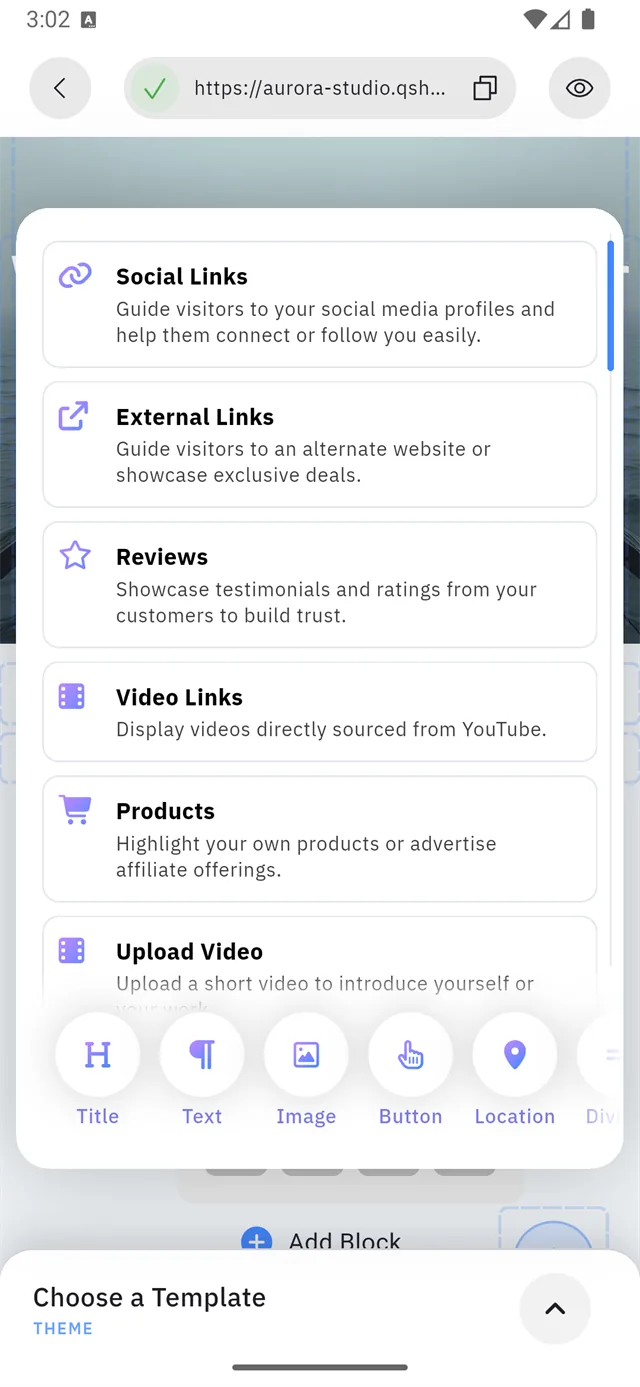
The picker has two halves, and the split is deliberate.
| Half | Holds | |
|---|---|---|
| 1 | The scrolling list | Content blocks — most ask you for something |
| 2 | The row along the bottom | Layout blocks — tap one and it appears |
The scrolling list — content blocks
These bring in real content, and most of them ask you for something after you add them.
| Block | What it does |
|---|---|
| Social Links | Sends visitors to your social profiles |
| External Links | Sends visitors to another site or a special offer |
| Reviews | Testimonials and ratings from your customers |
| Video Links | Plays videos straight from YouTube |
| Products | Your own products, or affiliate offers |
| Upload Video | A short video you upload yourself |
| Embed Code | Any third-party widget, via embed code |
| Social Feed | A live stream of your social posts |
| Booking | The booking widget — appointments on your site |
| Lead Form | Collects visitor details and sends them to you |
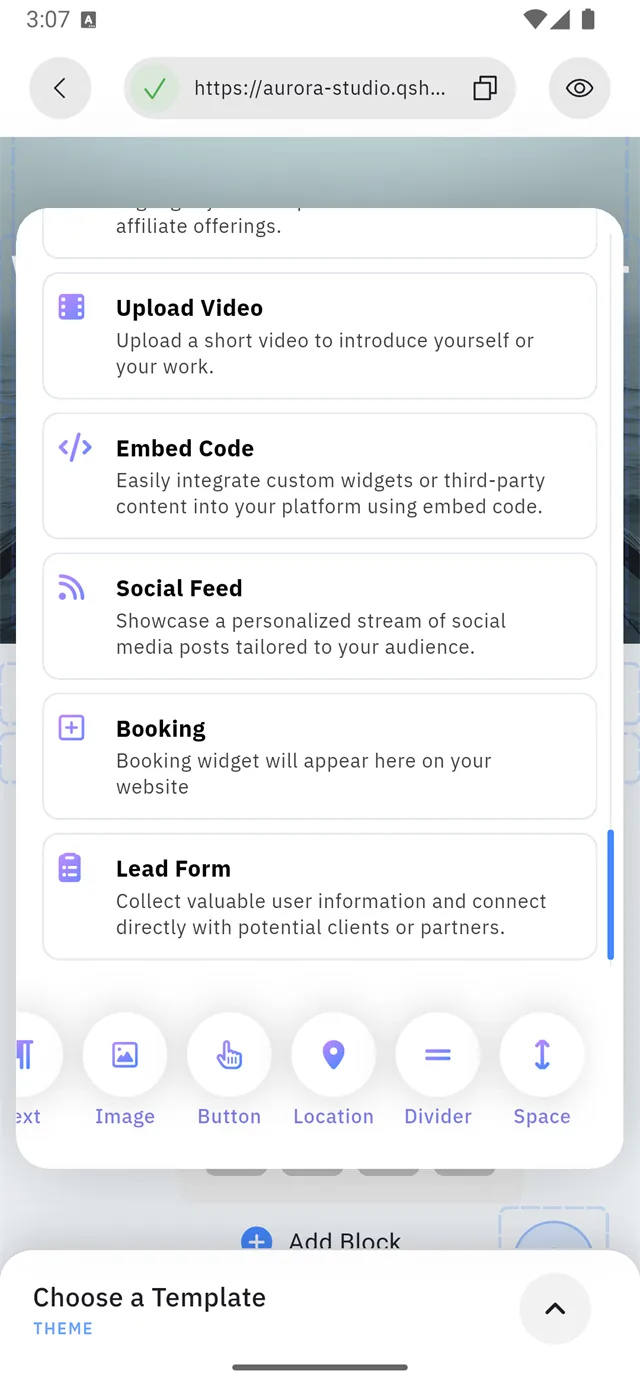
Some of these need a paid plan — Lead Form, Social Feed and Products among them. See Plans for the full table.
The bottom row — layout blocks
These are plain building pieces. They need no setup: tap one and it appears.
| Block | What it does |
|---|---|
| Title | A heading |
| Text | A paragraph |
| Image | A single picture |
| Button | A tappable button with a link |
| Location | A map pin for your address |
| Divider | A horizontal line between sections |
| Space | Empty vertical gap |
:::note The row scrolls sideways Only five fit on screen at a time. Swipe the row left to reach Divider and Space. :::
Which to reach for
| You want to… | Use |
|---|---|
| List your social profiles | Social Links |
| Take appointments | Booking |
| Collect enquiries | Lead Form |
| Separate two sections | Divider or Space |
| Explain something | Title + Text |
| Send people somewhere | Button or External Links |